To edit a breakpoint
There are several ways to edit breakpoints:
In the disassembly window, right-click the breakpoint
 you want to edit and choose Edit from the context menu.
In the breakpoints window, double-click the breakpoint you want to edit.
Hold down the Ctrl key and click the breakpoint
you want to edit.
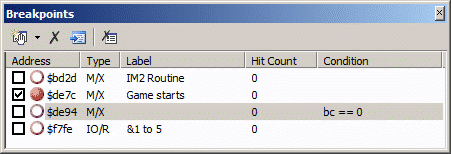
You can quickly enable or disable a breakpoint by clicking the checkboxes in the breakpoints window.
Give a breakpoint a friendly name to help you identify it in the breakpoints window when you have lots of breakpoints.