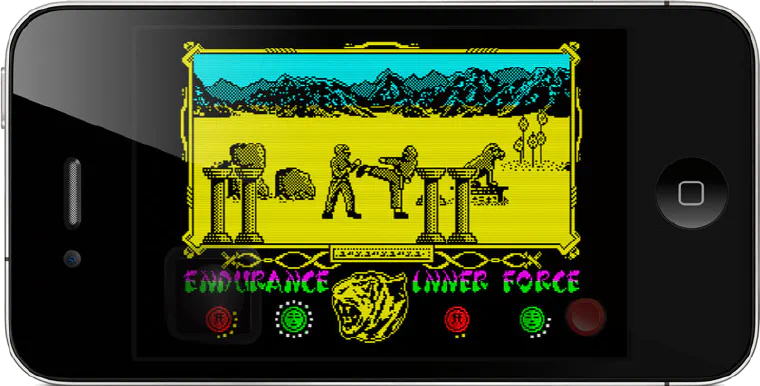
Spectaculator 5.0 for iPhone®, iPod touch® and iPad® released!
There’s a Gremlin in Spectaculator! This is probably the biggest update yet. An additional 26 games have been added, courtesy of Sheffield’s finest - Gremlin Graphics.

What’s new
Release notes, announcements and the occasional trip down memory lane.
There’s a Gremlin in Spectaculator! This is probably the biggest update yet. An additional 26 games have been added, courtesy of Sheffield’s finest - Gremlin Graphics.
This is the first in a series of blog posts I’ll be writing about the new debugger features in the up and coming version 9 of Spectaculator. The monitor/debugger in Spectaculator is probably the one feature I’ve never really been happy with. It works, but it’s pretty basic. For Spectaculator 9, the feature has been completely overhauled making it much more powerful and useful. I’ve been using it extensively to create the dynamic patches for the games included with the iPhone/iPod/iPad version (these patches automatically configure the game control on-the-fly amongst other things).
Version 2.0 is now available from the App Store. This is the first of a series of updates being made to the single game releases (Rocky Horror Show, Dynamite Dan II, Starstrike II and Frank N. Stein). This version now contains all the latest updates made to Spectaculator during the past 18 months: iPhone 5/iPod touch 5th generation support The whole app now runs in portrait or landscape modes. Improvements have been made to the original game code to make skipping the intro sections more reliable. iCade and iControlPad (external arcade controller) support has been vastly improved. App settings have been moved into the app itself. Brand new retro look-and-feel.
Version 4.0 is now available from the App Store. Changes to Controls In previous versions of Spectaculator, control selection (Keyboard/Kempston Joystick/Sinclair Joystick etc.) was pretty much like it is on a real ZX Spectrum - you were required to navigate a game’s menu and select the correct option. In 4.0, this is now unnecessary: The correct controls are automatically selected for each game and locked so they can’t be accidentally changed. This applies to all the built-in games as well as those available as in-app purchases. In most cases, simply tap the red button to start a game (rather than having to pop-up the keyboard. The original cassette images of the games have not been modified - for those of you who like to wait three minutes for your games to load, you can still do this ;-) These changes should make the games more accessible to retro gamers around the world who have never owned a ZX Spectrum.
… or how to enable iPhone 5 support for Spectaculator only to have it taken away from you at the last minute :(
This is a minor update to improve the controls for Carrier Command.
Version 8.0 is now available to download. This is a free upgrade for all existing registered users (those that purchased a license for versions 6.x and 7.x).
Version 3.0 is now available from the App Store. Includes all new UI and new games from Realtime Games Software and Design Design.
The Sinclair ZX Spectrum reached its 30th birthday today. I was hoping to celebrate by releasing updated versions of Spectaculator but didn’t get finished in time. Instead, here’s a whopping 75% off spectaculator coupon for all good specchums out there: CPN86661011790. Enjoy! Please: This offer was valid for a short time only and has now finished.