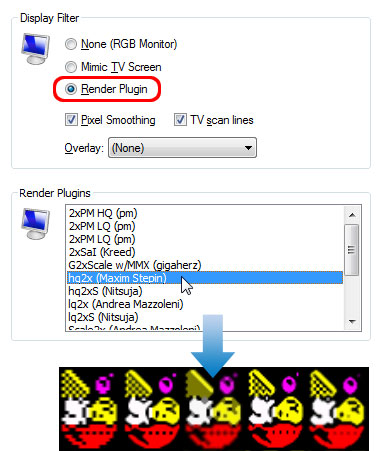
To use a Render plugin
On the Tools menu, click Options.
Click the Display tab.
Click Render Plugin if not already selected.
Choose a Render plugin from the drop down list.
Click OK.
Note
If the zoom size for the window is less than 200%, Render Plugins are automatically disabled.
A selection of Render plugins and Overlay filters which work with Spectaculator are available to download from here.