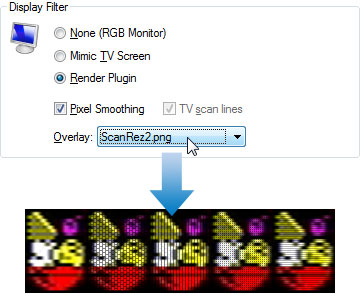
To enable or disable an Overlay filter
On the Tools menu, click Options.
Click the Display tab.
Choose an Overlay filter from the drop down list.
Click OK.
Note
For best results, Spectaculator should be running at least 3x zoom.
If the zoom size for the window is less than 200%, Overlay filters are automatically disabled.
Overlay filters override the TV screen scan line effect.
A selection of Render plugins and Overlay filters which work with Spectaculator are available to download from here.