Bookmarking code and data
You can use bookmarks to mark code and data locations so that you can quickly return to a specific location, or jump back and forth between locations.
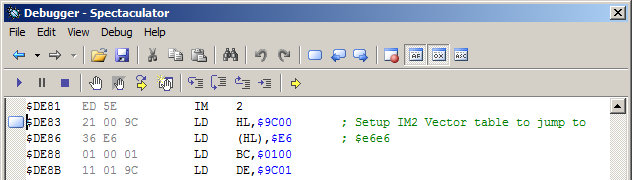
To add or remove a bookmark
Locate the address you want to bookmark or an existing bookmark you want to remove.
On the disassembly window toolbar, click the Toggle Bookmark
 button.
To navigate between bookmarks
On the disassembly window toolbar, click the Next Bookmark
 or Previous Bookmark
  button.
Tip
You can also toggle bookmarks using the Ctrl+K keyboard shortcut.
Use the Ctrl+Alt+Down Arrow keyboard shortcut to navigate to the next bookmark.
Use the Ctrl+Alt+Up Arrow keyboard shortcut to navigate to the previous bookmark.