About breakpoints
Regular breakpoints are used to break into the debugger when the Z80's program counter reaches a specific address that you are interested in. They can be set anywhere in the Spectrum's memory, including a specific RAM page and ROM.
Spectaculator also supports I/O breakpoints which break into the debugger when a specific I/O port is read from or written to.
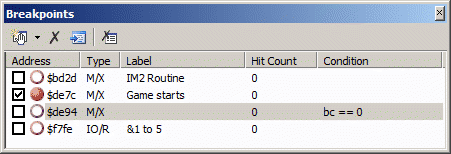
Breakpoints can be enabled or disabled, and can be given a condition which must be met before the breakpoint is triggered.
Breakpoints are managed using the breakpoints window.
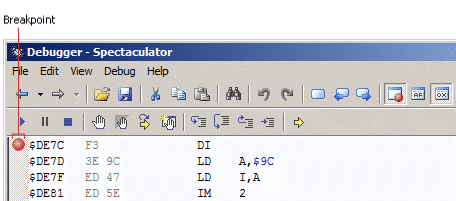
In the disassembly window, active breakpoints appear as a solid, dark red circle:
Use Breakpoint helpers to quickly set common but complex breakpoints.
Breakpoint types
Execution |
Breaks when the Z80's program counter reaches a specific address. |
Memory Access |
Breaks when a specific memory address is read or written to. This can be further restricted by memory page. |
I/O Access |
Breaks when a specific I/O port is read from or written to. Since most Spectrum hardware does not fully decode the bus, a mask can be used to further restrict the port address. |
Breakpoint states
|
The breakpoint is active. |
|
The breakpoint is disabled. It will be ignored during program execution. |
|
There was an error when evaluating the breakpoint's conditional expression. |


Tip
You can quickly enable or disable a breakpoint by clicking the checkboxes in the breakpoints window.
Give a breakpoint a friendly name to help you identify it in the breakpoints window when you have lots of breakpoints.